How to update your contact details in the Wolt Merchant Portal
Keep your details up to date for important operational updates

Keeping your business contact details up to date helps us reach the right people at the right time, especially when it comes to important, operational updates.
You can now update your phone numbers, email addresses, and notification preferences, directly in your profile and notification settings of the Merchant Portal. No need to go through your Wolt’s support team or your account manager.
This article shows you how to update your details and choose how you’d like to be contacted.
Why keeping your contact details up to date matters
Your contact details help us contact you when it really counts, for example, if there’s an urgent issue related to your venue or account access.
You’re always in control of your contact details and how we contact you:
Choose SMS, WhatsApp, or both
Select what types of messages you receive — and how
💡 Good to know:
Critical messages are always delivered to ensure important updates, such as service downtime, or finance-related notifications, reach the right people.
Phone numbers are tied to individual user profiles. If a staff member should no longer receive messages, their user access needs to be removed from the account.
How to update your contact details in the Merchant Portal
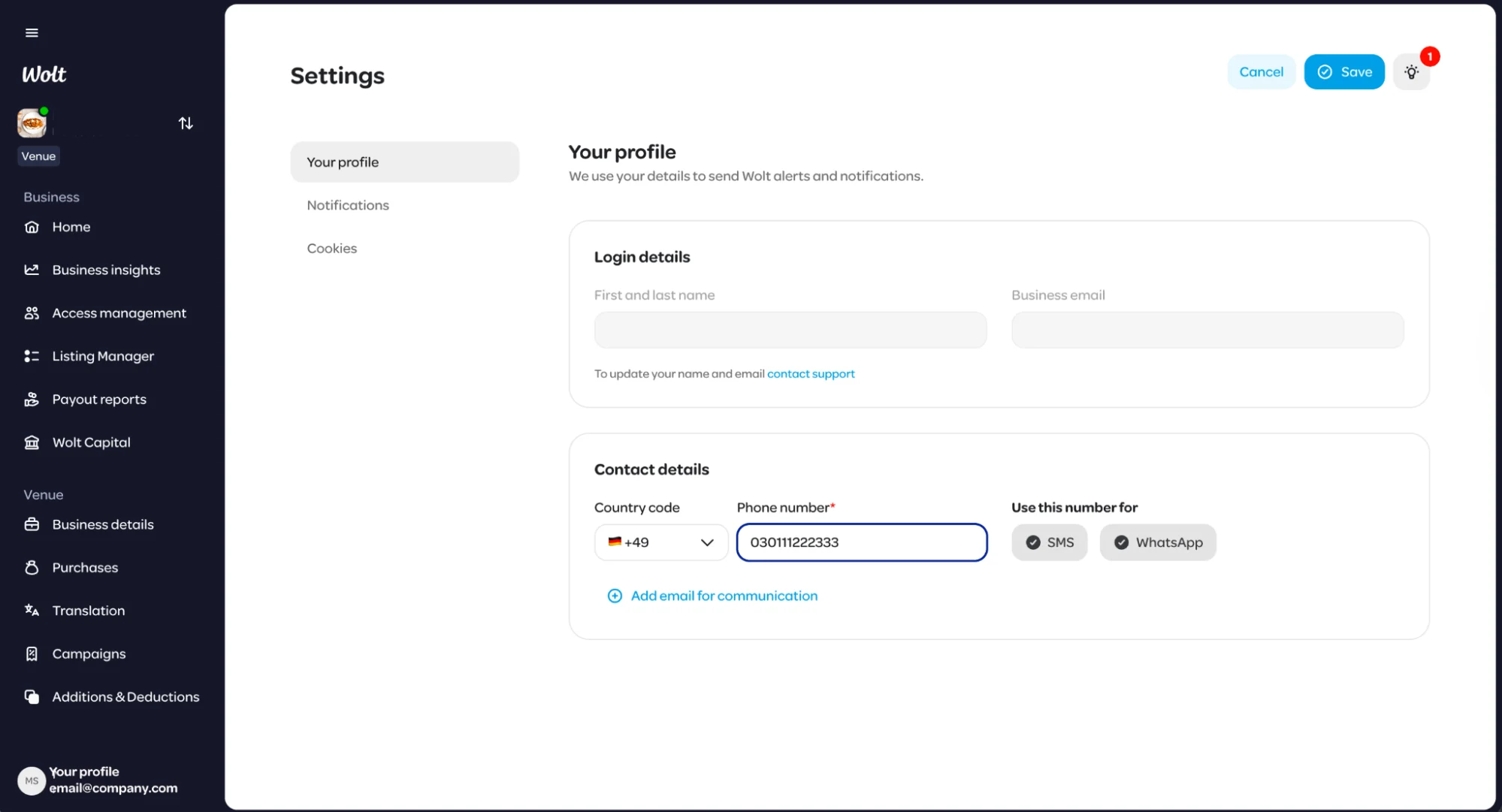
You can update your phone number and manage the email addresses we use to contact you directly in your profile settings in just a few clicks.
Step-by-step
Open the Merchant Portal and click your username (bottom left)
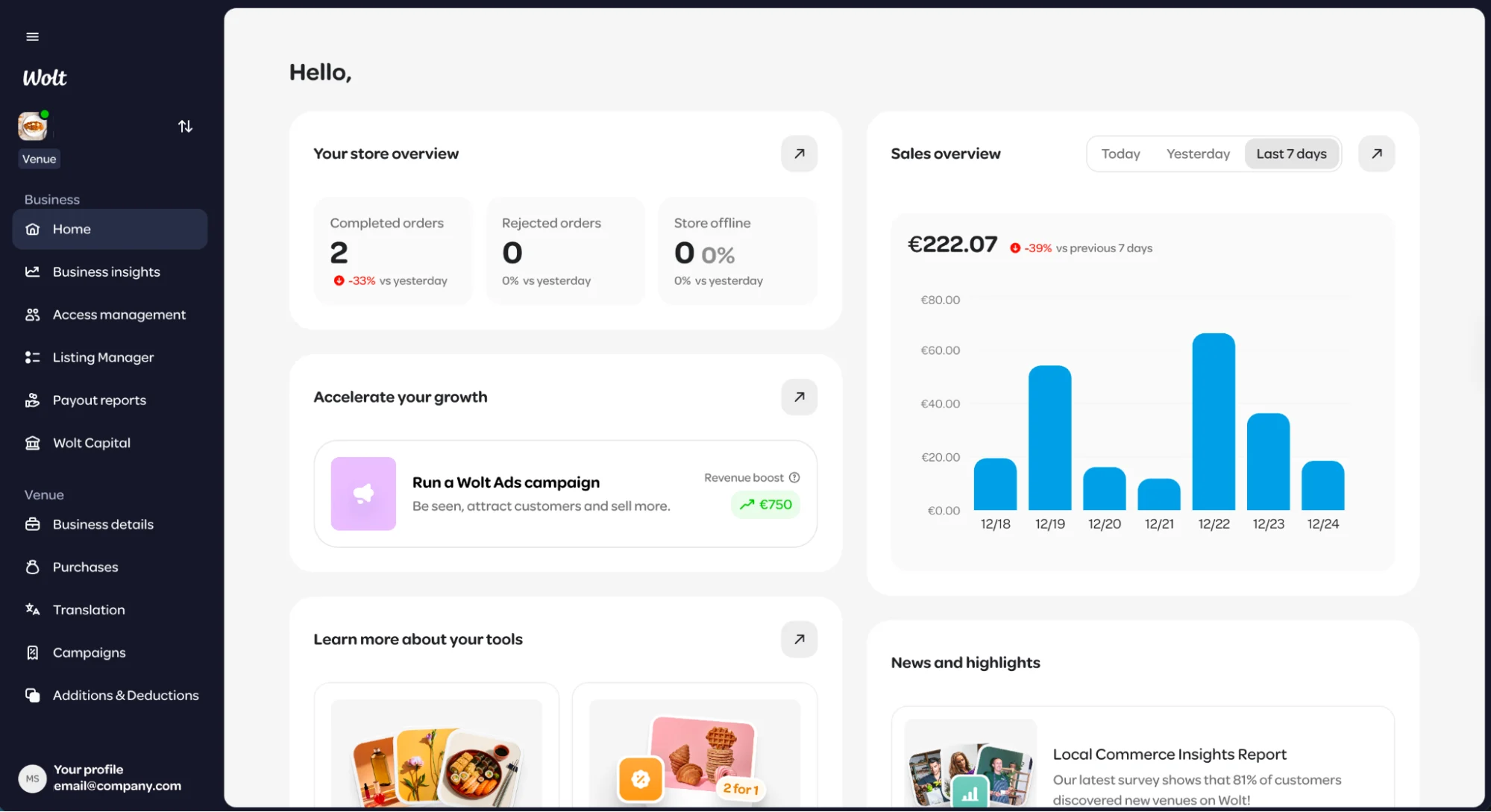
Select Settings
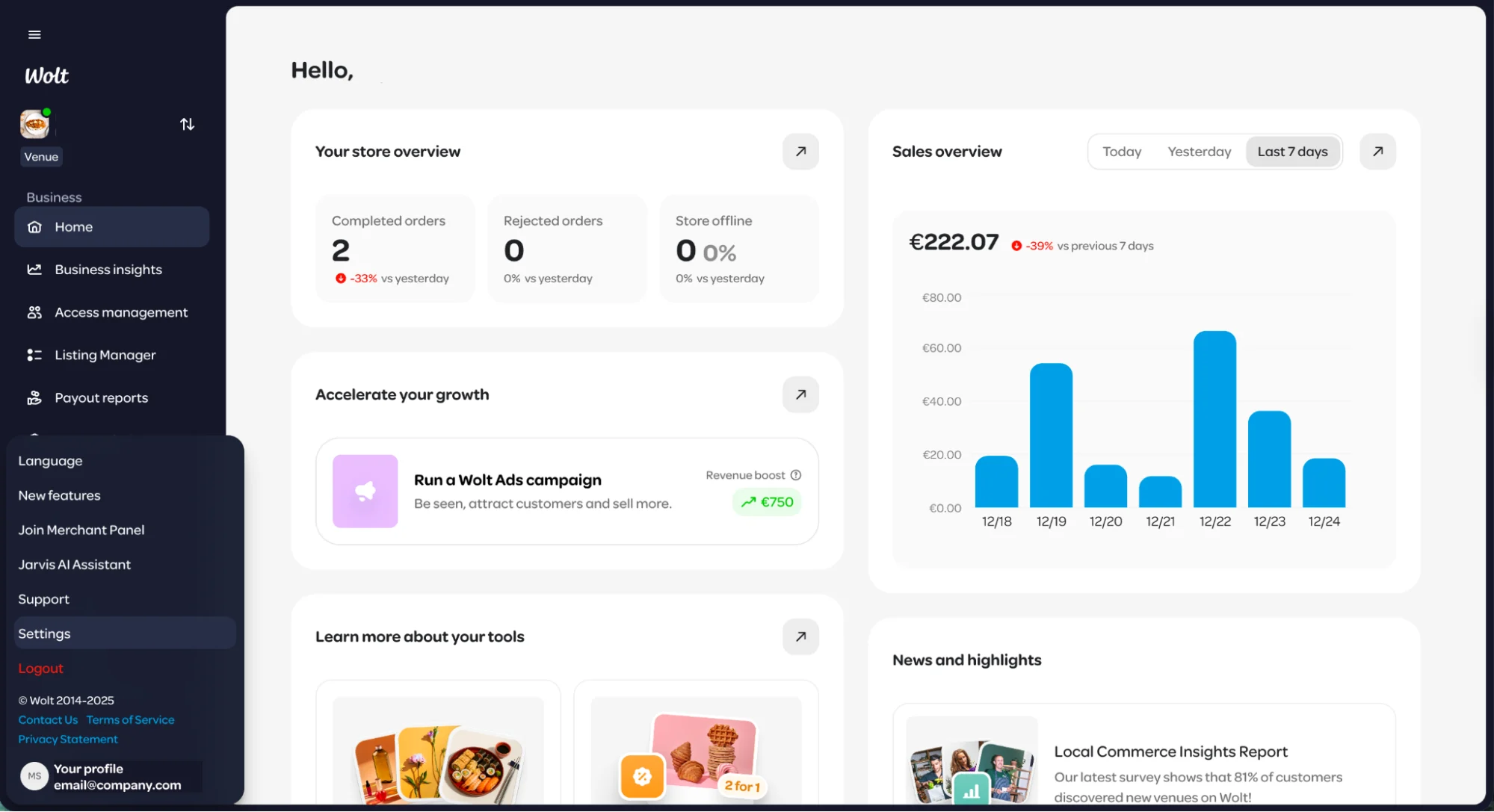
Click Edit (top right)
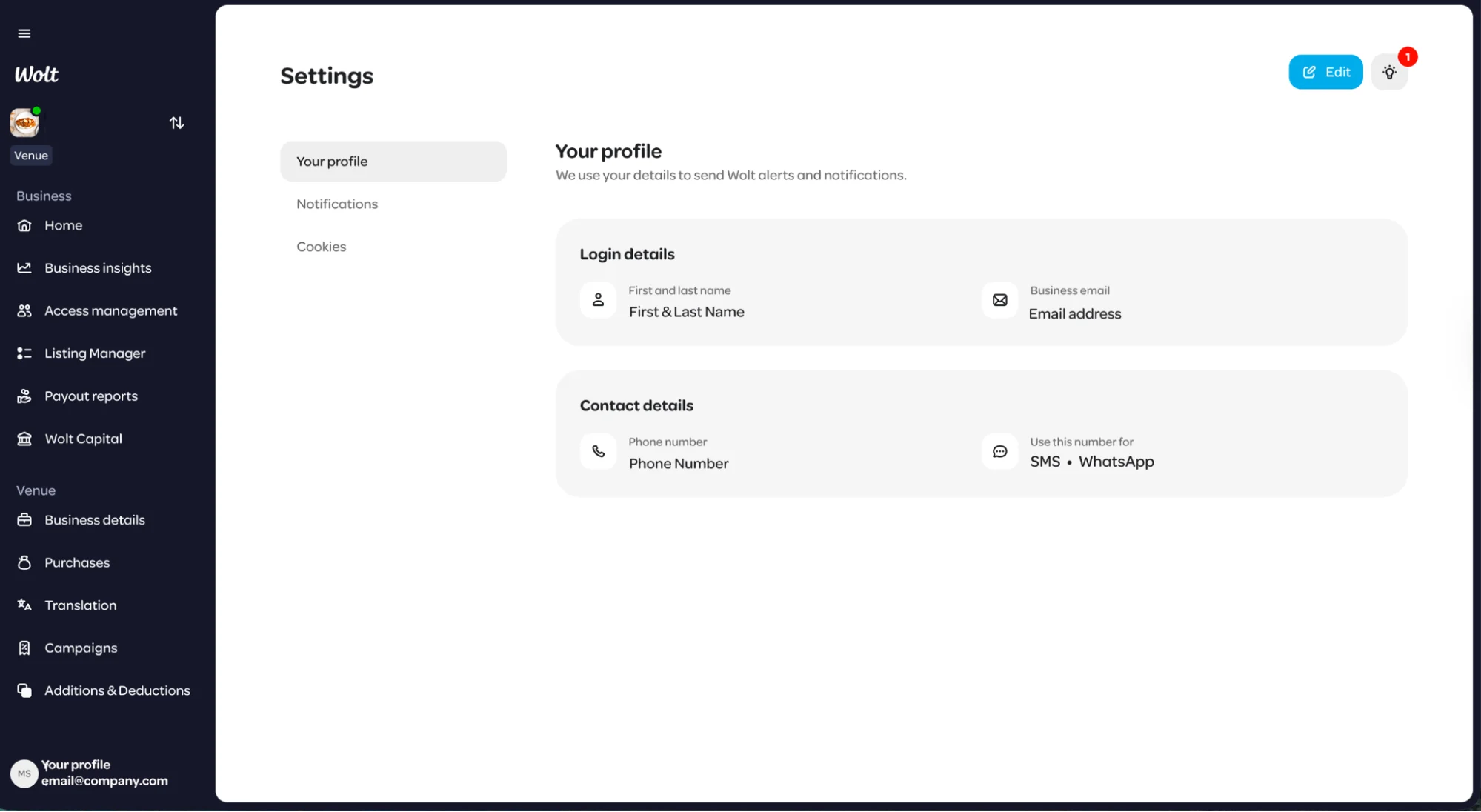
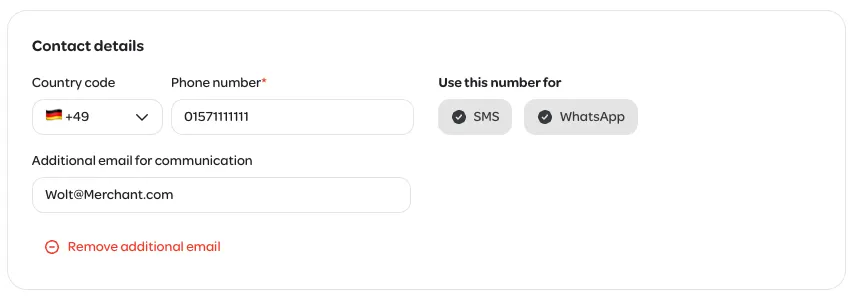
Choose the correct country code, enter your phone number, and select how you’d like to be contacted:
SMS
WhatsApp
Or both
You can also set a different email addresses as your preferred contact email for Wolt alerts and other notifications (optional)
Click Save (top right)
Managing your communication preferences
Prefer WhatsApp over SMS? Or want to receive operational updates via WhatsApp and marketing messages via SMS?
You can manage all of this in the ‘Notifications’ section within your Settings in the Merchant Portal. Here, you can tell us your preferred channels for different types of messages.
We’ll always aim to respect your preferences. In some cases, certain messages may still be sent through specific channels based on how they’re configured, to make sure important updates reach you.
FAQ
I don’t want to receive many messages from Wolt. How can I avoid this?
What happens if a seasonal staff leaves?
I can’t update my phone number. What should I check?
Need help?
Don’t hesitate to reach out to our Merchant Support team via the Merchant Portal. We are happy to help.